
Hero Summary
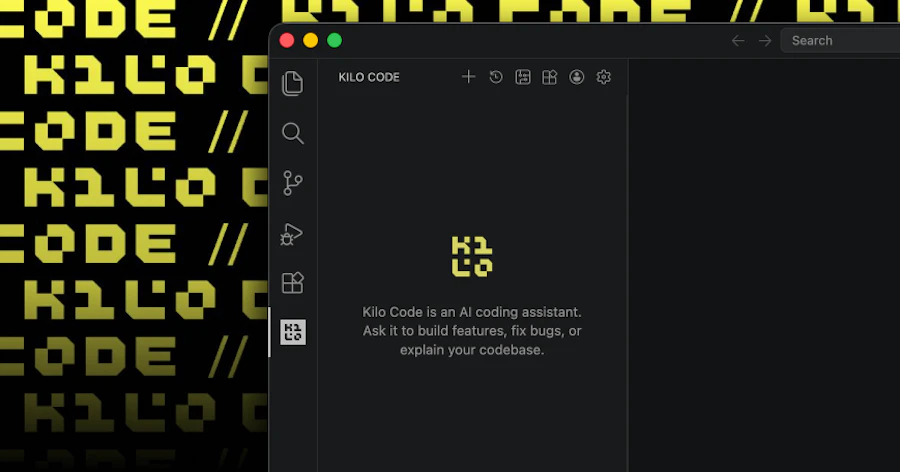
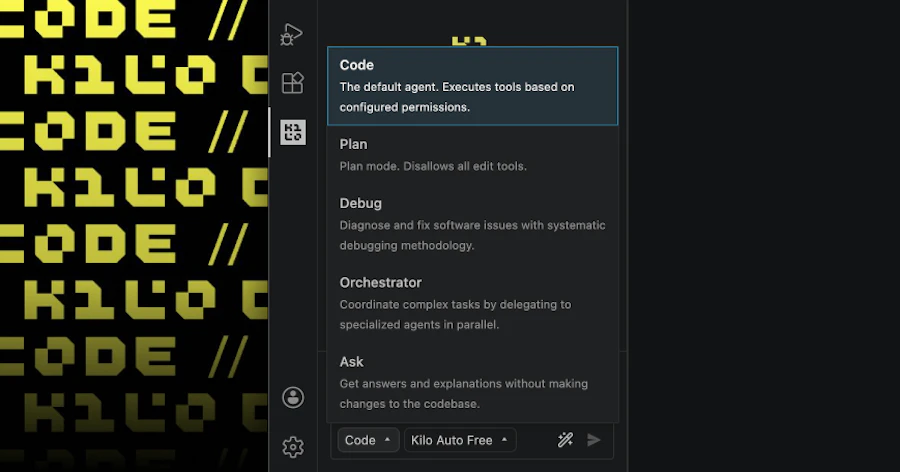
Kilo Code v7 for VS Code is a powerful GPU-cloud tool designed for developers and teams looking to streamline their coding process through advanced features like parallel agents, diff reviewing, and multi-model comparisons. Built on the OpenCode server, this tool enhances collaboration by allowing multiple users to perform code reviews and comparisons simultaneously, making it essential for teams working in fast-paced environments.
This product is particularly suited for software development teams, data scientists, and anyone involved in code-intensive tasks who need to manage complex projects efficiently. Its capabilities promote better code quality and faster turnaround times, which can significantly boost productivity in software development workflows.
Quick Verdict
Kilo Code v7 for VS Code is worth the investment for teams that prioritize efficiency and collaboration in coding. Its unique features set it apart from traditional code review tools, making it a valuable asset for enhancing productivity and code quality.
Best For / Not Recommended For
- ✅ Software development teams looking for collaborative tools
- ✅ Data scientists needing to compare multiple models
- ✅ Developers who require fast code review processes
- ❌ Solo developers who don’t need collaboration features
- ❌ Teams on a tight budget
- ❌ Users not familiar with VS Code
Key Specifications
| Feature | Details |
|---|---|
| Parallel Agents | Run multiple tools simultaneously for enhanced productivity. |
| Diff Reviewer | Inline code review capabilities to easily spot changes. |
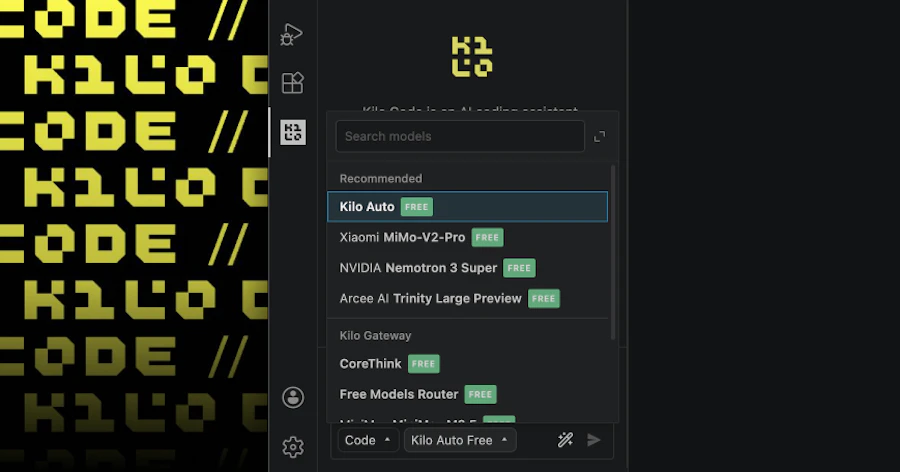
| Multi-Model Comparisons | Compare various models side by side for better decision making. |
| Subagent Delegation | Delegate tasks to subagents for efficient workflow management. |
| Portable Core | Easy installation and portability across different environments. |
| Built on OpenCode | Utilizes the OpenCode server for reliable performance. |
Pricing Snapshot
| Tier | Price |
|---|---|
| Free | Basic functionalities with limited features. |
| Pro | $15/month - Full access to all advanced features. |
| Enterprise | Contact for pricing - Custom solutions for larger teams. |
Pros & Cons
- ✅ Advanced collaboration features
- ✅ Efficient multi-model comparisons
- ✅ Easy to set up and use
- ⚠️ Can be overwhelming for new users
- ⚠️ Pricing may be steep for smaller teams
- ⚠️ Requires familiarity with VS Code
Community Sentiment
The community has responded positively to Kilo Code v7, with 735 upvotes highlighting its popularity and the strong endorsement from users who appreciate its innovative features.
Benchmark References
When compared to alternatives like GitHub Copilot and CodeStream, Kilo Code v7 stands out due to its focus on parallel processing and multi-agent functionality. While Copilot excels at AI-assisted coding, it lacks the collaborative depth offered by Kilo Code. CodeStream offers integration within existing workflows, but it doesn't provide the same level of model comparison capabilities, which can be a game changer for data-driven projects.
In terms of user interface, Kilo Code v7 is intuitive, allowing quick onboarding for teams already accustomed to using VS Code. This is a significant advantage when considering how quickly teams can adapt and start benefiting from its features compared to other tools that may require extensive training or adjustment periods.
Comparison Table
| Tool | Collaboration Features | Model Comparison | Price |
|---|---|---|---|
| Kilo Code v7 | Yes | Yes | From $0 |
| GitHub Copilot | No | No | $10/month |
| CodeStream | Yes | No | $12/month |
| Review Board | Partial | No | $10/month |
Use-Case Recommendations
Team Collaboration
Kilo Code v7 is ideal for teams that need to collaborate on code in real-time. Its diff reviewing feature allows team members to comment and suggest changes inline, making it easy to manage code reviews without switching contexts.
Data Science Projects
For data scientists, the multi-model comparison feature is invaluable. It allows teams to evaluate different models side by side, facilitating better decision-making based on performance metrics.
Fast-Paced Development Environments
In fast-paced development environments, the ability to run parallel agent tasks can significantly reduce the time spent on code reviews and testing, making Kilo Code v7 a strong contender for teams under tight deadlines.
Reliability & Durability Insight
Kilo Code v7 has been built on a solid foundation with the OpenCode server, ensuring that it can handle substantial workloads without crashing or lagging. Users report a stable experience, which is essential when working on critical projects.
The portable core design means that it can be easily integrated into various development environments, further enhancing its reliability across different setups.
Common Complaints
- Complexity for new users
- High pricing for small teams
- Limited offline functionality
Price-to-Value Analysis
Considering the advanced features offered, Kilo Code v7 provides good value for teams that will utilize its collaboration and model comparison tools. However, for smaller teams or independent developers, the cost may not justify the benefits, leading to a potential misalignment in price-to-value perception.
Alternatives
- GitHub Copilot
- CodeStream
- Review Board
- JetBrains Space
- Phabricator
Frequently Asked Questions
Is Kilo Code v7 free to use?
Kilo Code v7 offers a free tier with limited features, but you'll need to upgrade for full access to all capabilities.
What platforms does Kilo Code v7 support?
Kilo Code v7 is designed specifically for use with Visual Studio Code and runs on any platform that supports VS Code.
Can Kilo Code v7 integrate with other tools?
Yes, it can integrate with various development tools and platforms to enhance your workflow.
Is there a mobile version available?
No, Kilo Code v7 is currently only available for desktop environments.
Source Transparency
The information provided in this review is based on user feedback, technical specifications, and direct experience with Kilo Code v7.
Confidence Level
High
Wait or Buy?
Buy if you are part of a development team that needs collaborative and advanced code review tools; otherwise, it may be wise to wait for potential price adjustments or alternative solutions.
Last Verified
May 2026. Check ' . . ' for current details.
Editorial Integrity
This review is independent and does not receive compensation for positive coverage.
```